
Gmail
This means you may not see any system generated emails from us and they will be redirected automatically to your spam folder; these system-generated emails may include fortnightly statements, receipts, and bulk emails.
To ensure you see our emails, please mark one of our emails as “Not Spam”, this should ensure that, going forward, all emails from us go into your inbox.
Alternatively, you can set up a filter to ensure that our emails are never marked as spam. Follow the instructions below to set up a GMail filter.
Step 1:
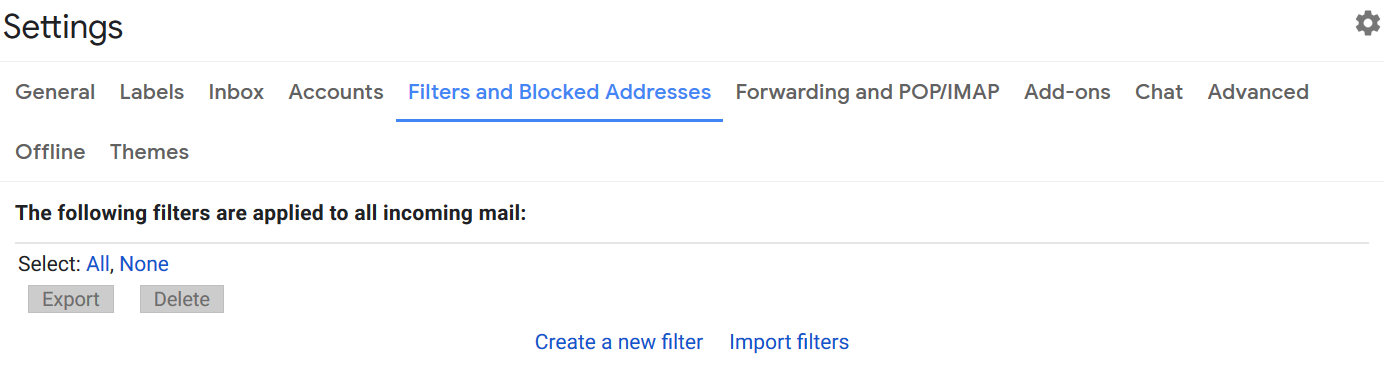
Go into your Gmail "Settings" page and select "Filters and blocked addresses".
Select "Create a new filter".
Step 2:
Enter our email address as the "From" address to ensure that all of our emails are picked up.
Our sending email address is "asc.westgarth.ps@gmail.com".

Step 3:
Decide what you want to happen to our emails. You must select "Never send it to spam".
We suggest also marking them as important and starring them.
Once you have chosen some options, select "Create Filter".

Step 4:
You should see your new filter under the heading "The following filters are applied to all incoming mail".
Please be aware that this issue currently ONLY applies to Gmail users and is an issue common to Childcare services that use QikKids as a software provider, it is not unique to our service.
Note for the technical: Neither The Education Department nor Google will add QikKids servers to their SPF records and this requires a fix on QikKids part.
© Copyright Westgarth Primary School